Knowing Ways to Send Large Document Size on WhatsApp Easily

- VIVA.co.id/Arianti Widya


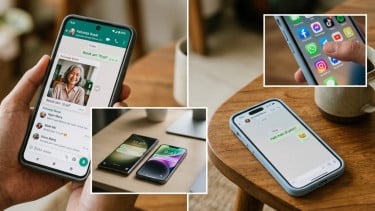
Jakarta – The instant messaging, WhatsApp is not only for communication, but it can also send files or documents like photos, videos, music, or written documents such as PDF, Word, Excel or Power Point. Therefore, users must know how to send large files on WhatsApp.

As known, WhatsApp users can send documents with a maximum file size of 2GB in one send since 2022.

WhatsApp.
- VIVA.co.id/Arianti Widya

Files can be downloaded directly on smartphones, tablets and laptops. For this reason, there are several easiest methods that can be used if users want to send large documents, processed from various sources:
Send file via email

- Attach files to new emails.
- Enter a friend's email address as the recipient.
- Send email.
Send document via Google Drive
- Upload files to Google Drive.
- Get the file link by right clicking on the file > select "Get Shareable Link".
- Copy the link and send to friends via WhatsApp.
Use Other Cloud Storage Services
- Services such as Dropbox, OneDrive, or Mega can be used to send large files.
- Upload files to your preferred cloud storage service.
- Get file links and send to friends via WhatsApp.

Fitur Browser Baru Ini Jadi Sorotan
WhatsApp tengah mengembangkan fitur browser internal untuk pengguna iPhone. Dengan fitur ini, pengguna nantinya bisa membuka berbagai tautan langsung dari ruang obrolan.